Think Bigger: How Small Teams Win with ChatGPT
Real examples and ready-to-use prompts for small and midsize businesses.
With the right tools, a lean team can move faster, do more, and take on bigger opportunities with confidence.
That's why we built ChatGPT Business. It is a simple and secure way for companies to put frontier Al to work. And it's powered by our newest and most advanced model, GPT‑5, the engine behind everything you'll see in this guide.
Marketing | Breaks down multi-step problems, explains its reasoning, and automatically adapts the depth of its analysis based on your prompt. |
Gets it right more often | Provides higher accuracy and less guesswork in the answers you rely on. |
Writes in any format | From a one-line email to a full proposal, in the tone you need. |
Connected to your tools | Pulls in data from the apps you already use so answers are grounded in your business. (See "Pro Tip: Connect Your Tools" below for ways to get the most from this.) |
Your privacy is protected. Chats and files are private, encrypted, and never used to train our models.
Built for secure, scalable use
Get single sign-on (SSO) for easier access control, usage tracking to understand adoption, and optional add-on credits so your most active team members can do even more without running out.
Read, clean, and combine your data, then run calculations and create charts - without relying on a dedicated data team.
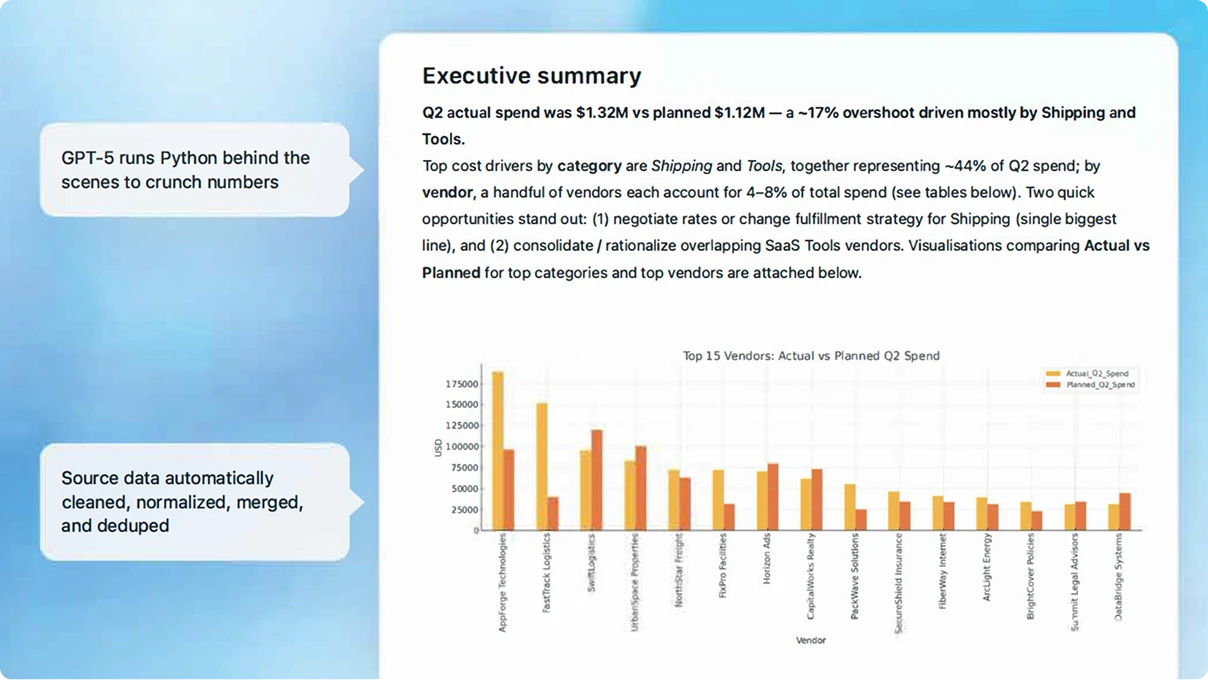
Try it yourself:
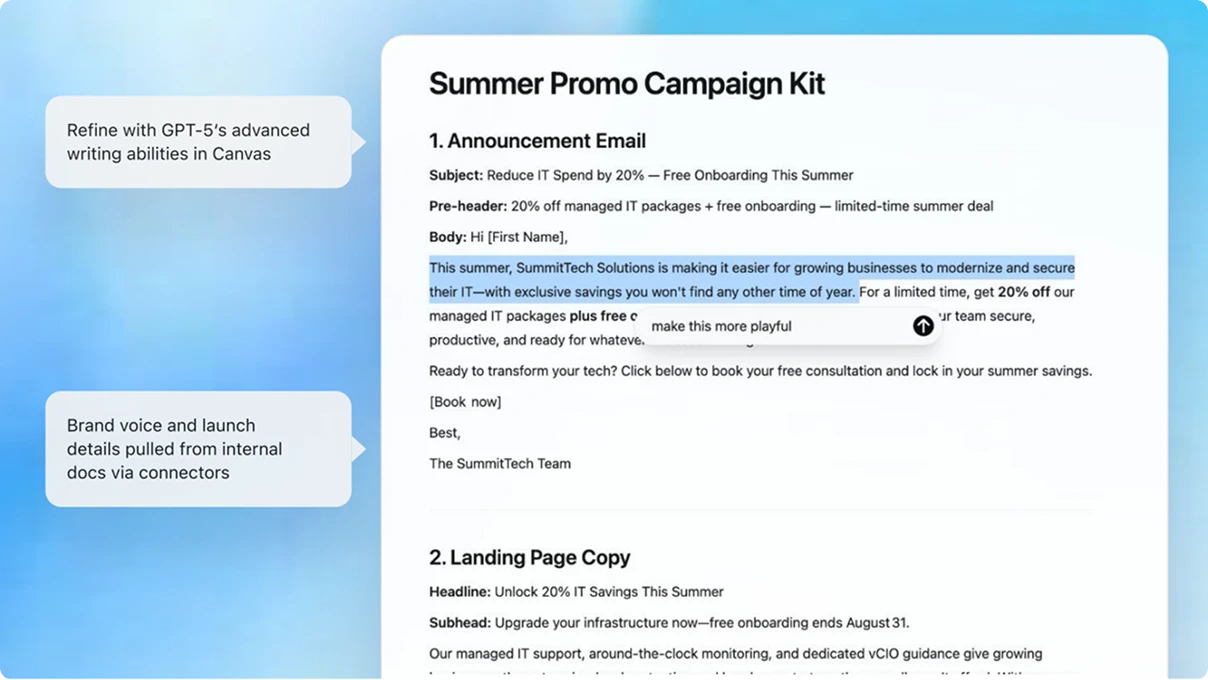
Upload a past marketing piece and details for your launch.
Paste this prompt:
Pro tip
Connect(opens in a new window) Google Drive or OneDrive so ChatGPT always works from your latest files.
Turn your product or event details into ready-to-use emails, social posts, and landing page copy that match your brand voice.
Design: The business user defines the purpose, scope, and audience in a two-page brief.
Prepare: The SME gathers relevant data to shape the use case around best practice.
Build and test: The tech lead builds the GPT, integrates the data sets, and tests the GPT for accuracy and consistency.
Launch: The full team deploys the GPT and creates a user guide.
Pivot and scale: The full team uses feedback loops to iterate and optimize based on GPT performance.
Pro tip
Use Canva with ChatGPT(opens in a new window) to instantly format your copy into beautiful visuals.
Turn your product or event details into ready-to-use emails, social posts, and landing page copy that match your brand voice.
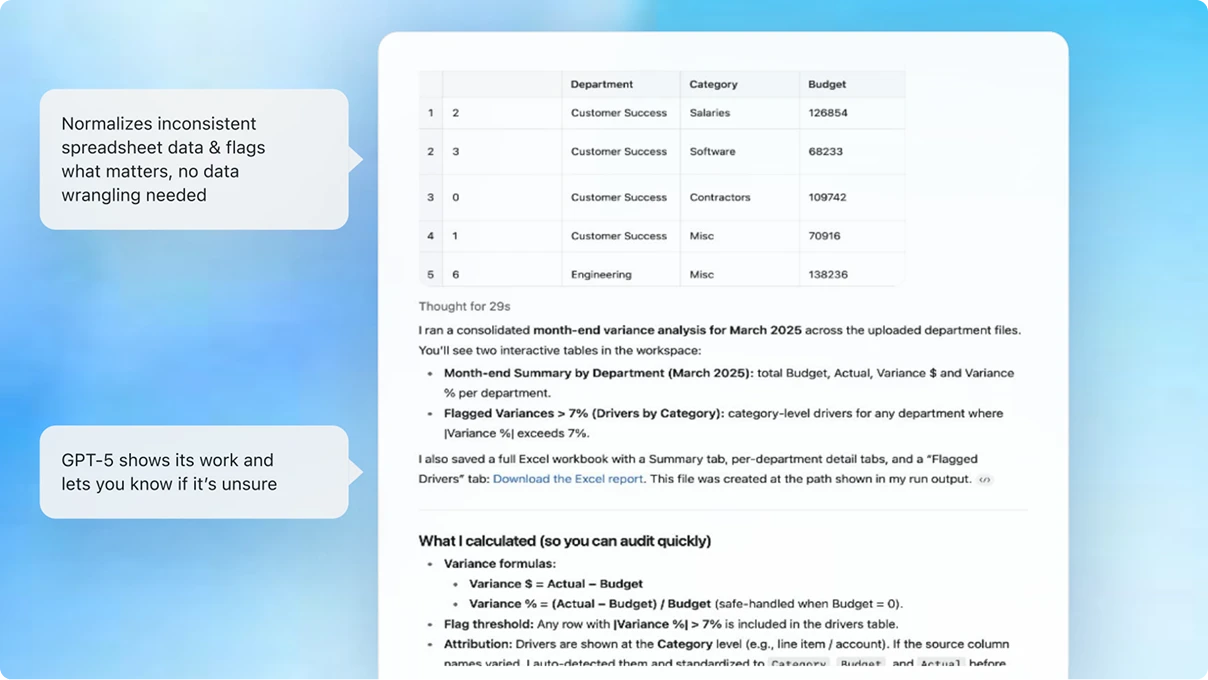
Try it yourself:
Upload your budget and actual spend spreadsheets.
Paste this prompt:
Pro tip
Connect(opens in a new window) Google Drive or OneDrive so ChatGPT always works from your latest files.
Save your analysis in a Project to track changes month by month.
Turn messy notes into clear agendas, pre-reads, and decision summaries to keep discussions focused and actionable.
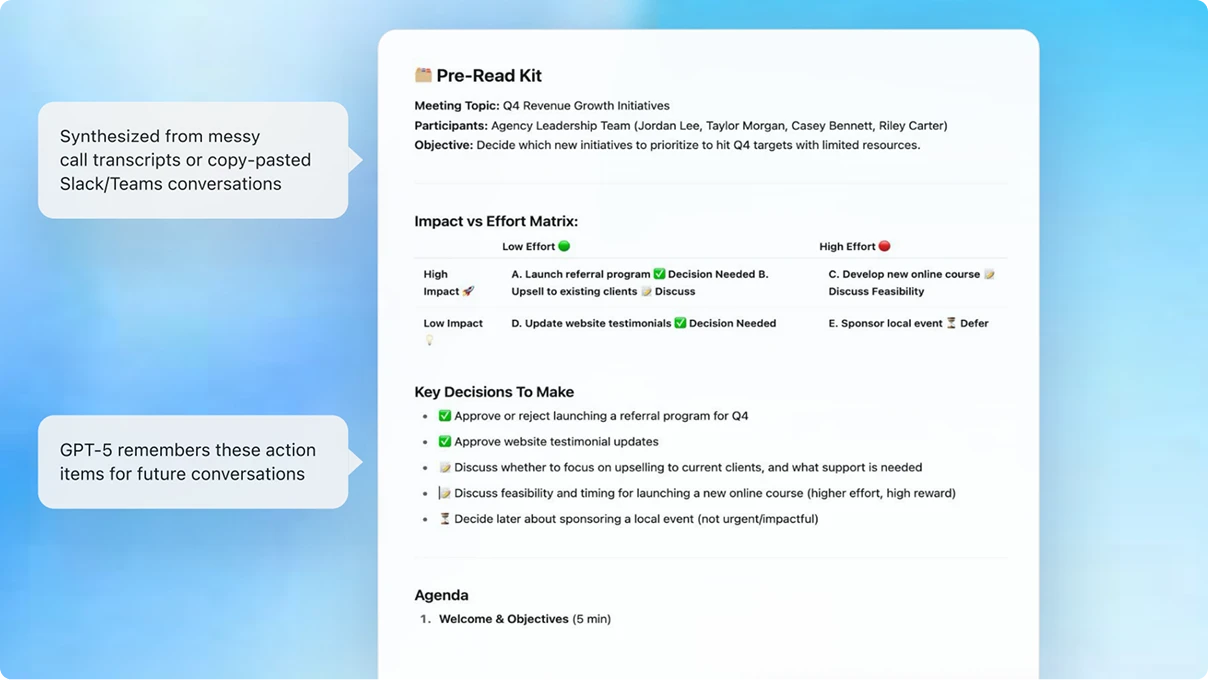
Try it yourself:
Upload your meeting notes or transcripts.
Paste this prompt:
Pro tip
Use ChatGPT record(opens in a new window) in the macOS desktop app to capture your meeting, get a transcript, and instantly generate a summary and action items.
Research and compare vendors side by side to find the best fit.
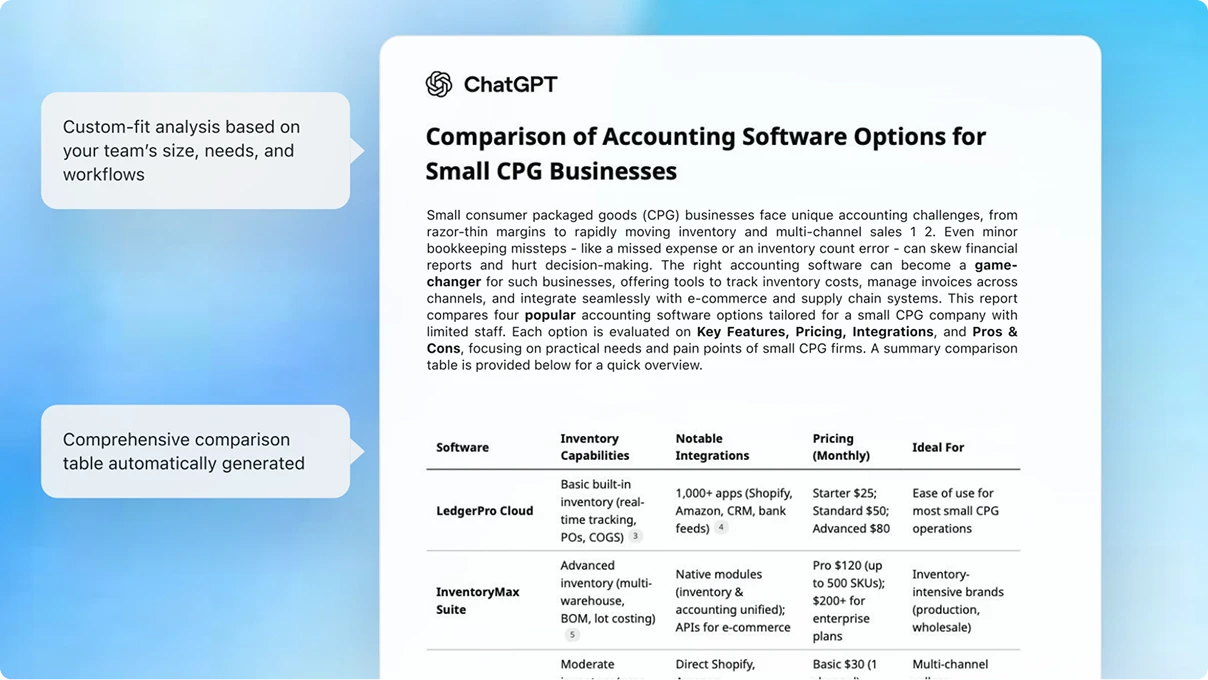
Try it yourself:
Choose "Deep research" from the + menu in ChatGPT.
Paste this prompt:
Pro tip
Save comparisons in a Project to refresh reports as new data comes in.
Paste your website text and ask ChatGPT to rewrite it in a warmer tone and suggest a better headline.
Connect your HubSpot or upload CRM dataUpload your sales data and ask for 3 actions to help close more deals this month.
Compare your product with a competitor's using both your docs and public info.
Scan your code (via the GitHub connector) for security risks and quick fixes.
Turn meeting notes into a polished proposal email for a client.